Message component#
A component that sends out a static or dynamic message.
As the final component of the workflow, a Message component returns the workflow’s ultimate data output accompanied by predefined message content. The system selects one message at random if multiple messages are provided.
Configurations#
Status#
The HTTP status code (200 ~ 399) to return when the entire workflow completes. Available only when you select Final response as Execution mode in the Begin component.
Messages#
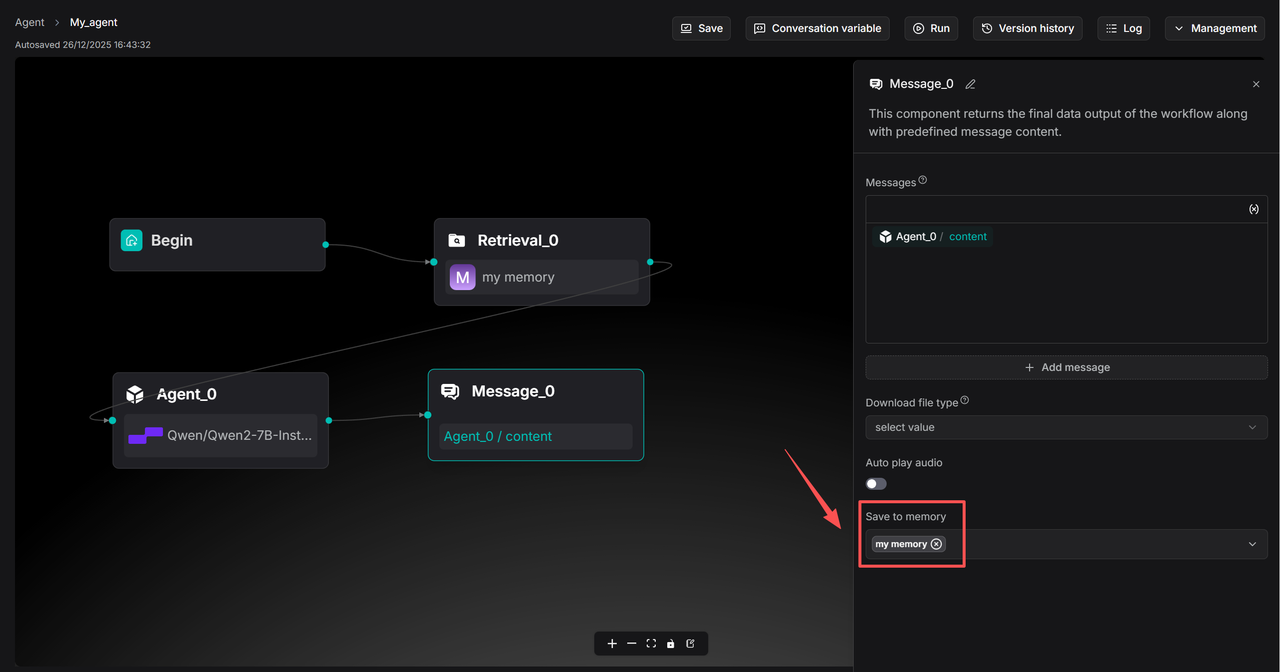
The message to send out. Click (x) or type / to quickly insert variables.
Click + Add message to add message options. When multiple messages are supplied, the Message component randomly selects one to send.
Save to memory#
Save the conversation to specified memories. Expand the dropdown list to either select all available memories or specified memories: