
Components#
Components are the building blocks of a flow. Langflow ships with a wide catalog covering inputs, models, memory, retrieval, tools, and outputs. On DKubeX, additional DKubeX Providers components are available that connect directly to the cluster-local SecureLLM service.
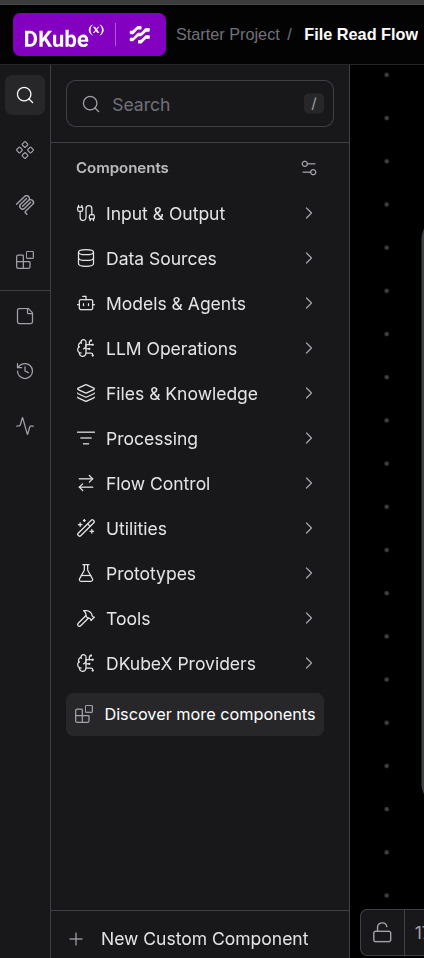
Categories#
Category |
What’s inside |
|---|---|
Input & Output |
Chat input, text input, file loaders, chat output, text output |
Data Sources |
Database connectors, API request components, web scrapers |
Models & Agents |
OpenAI, Anthropic, Mistral, Ollama, Hugging Face, and more |
LLM Operations |
Prompt templates, chains, and LLM utility components |
Files & Knowledge |
File loaders, document parsers, knowledge base connectors |
Processing |
Text splitters, parsers, transformers |
Flow Control |
Conditional routers, loops, and parallel execution |
Utilities |
Python REPL, custom tools, web search |
Prototypes |
Experimental components |
Tools |
Agents with tool-calling capabilities |
DKubeX Providers |
DKubeX-native LLM and embedding components backed by SecureLLM |
DKubeX Providers#
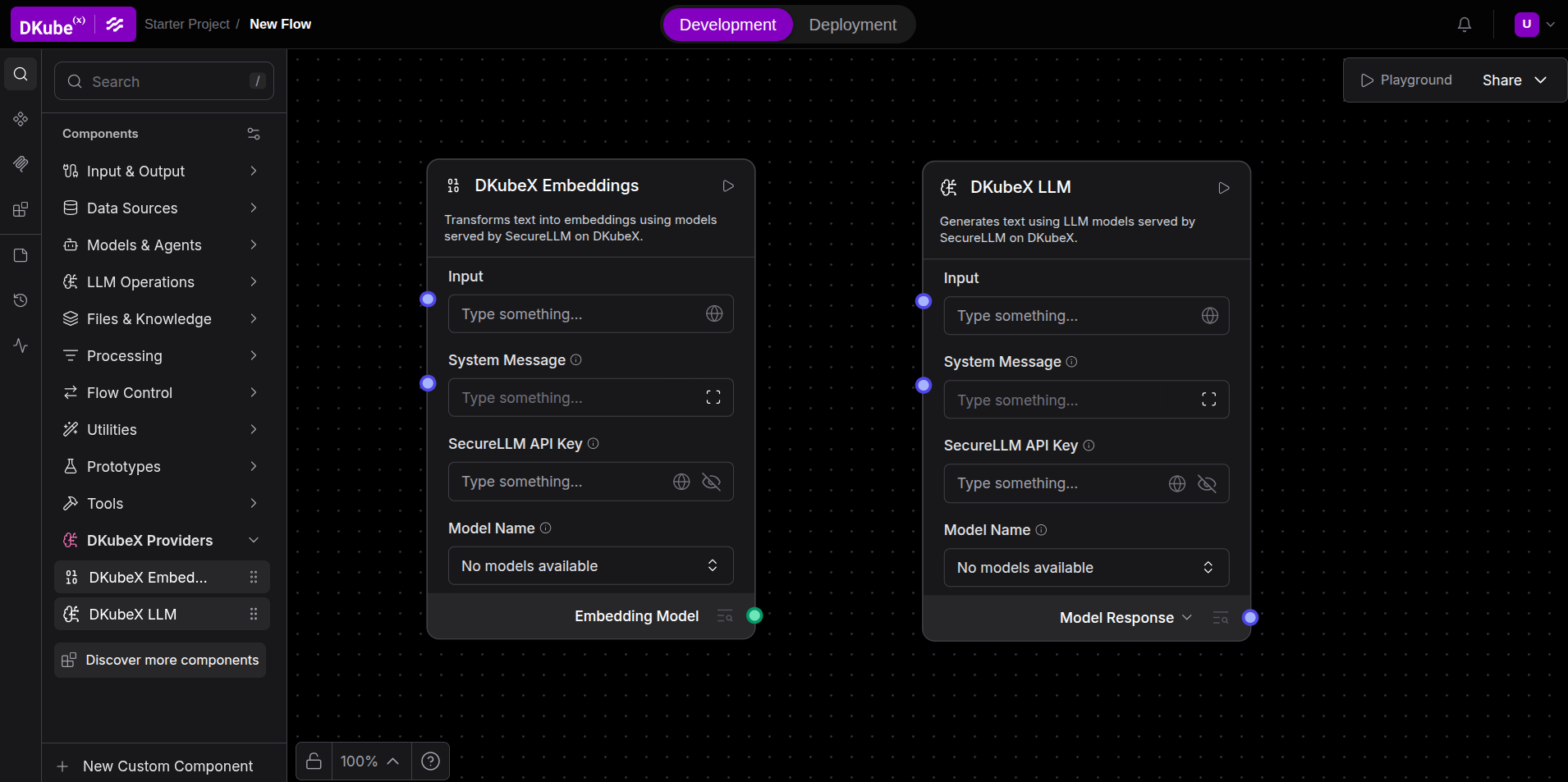
These components are built into every DKubeX Langflow instance and connect to the SecureLLM service running in the same cluster. They appear in the sidebar under DKubeX Providers.
DKubeX LLM#
Generates text using language models served by SecureLLM.
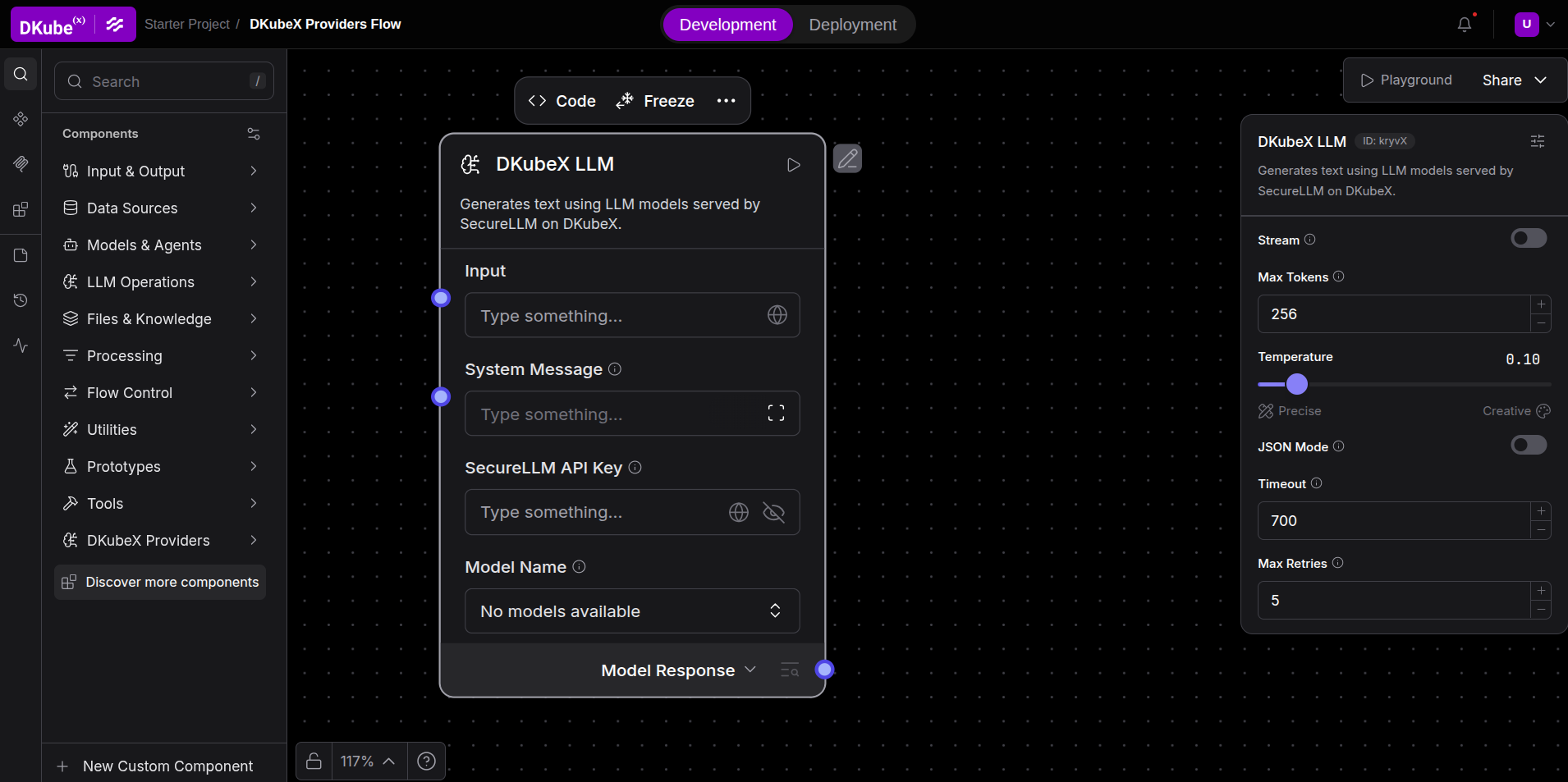
Configuration:
Field |
Description |
|---|---|
SecureLLM API Key |
Your API key for the SecureLLM service (masked; stored once) |
Model Name |
Dropdown of available |
Max Tokens |
Maximum tokens to generate (default 256) |
Temperature |
Sampling temperature 0–1 (default 0.1) |
JSON Mode |
Force JSON output format |
Timeout |
Request timeout in seconds (default 700) |
Max Retries |
Retries on transient failure (default 5) |
How to use:
Drop DKubeX LLM component onto the canvas.
Enter your SecureLLM API Key.
Click on Model Name and then click Refresh list to load the available models.
Select a model and connect the component to your flow.
Click the component to open its side panel and configure the advanced options.
DKubeX Embeddings#
Generates vector embeddings using embedding models served by SecureLLM. Use this component with a Vector Store component to index and retrieve documents.
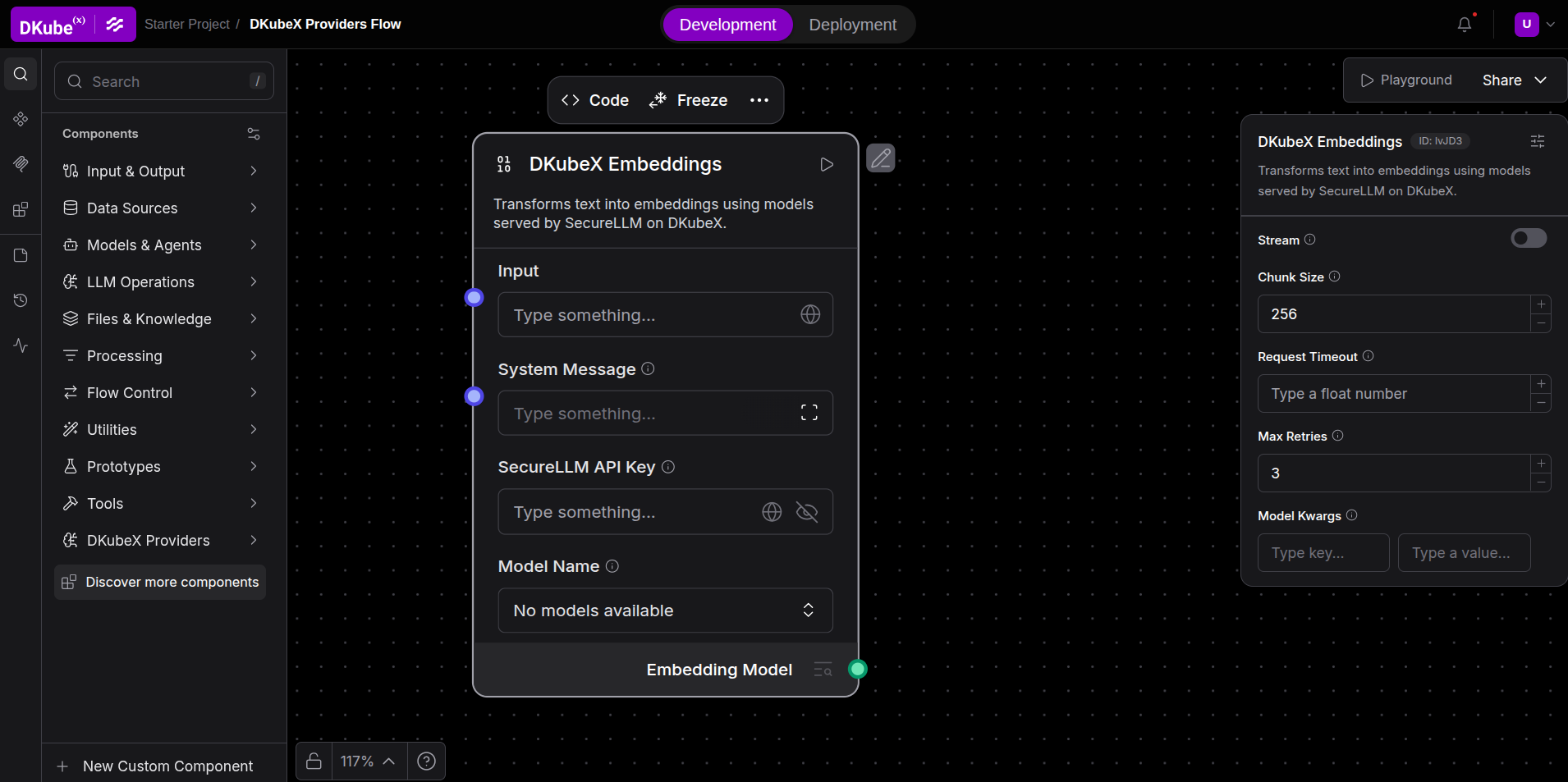
Configuration:
Field |
Description |
|---|---|
SecureLLM API Key |
Your API key for the SecureLLM service (masked; stored once) |
Model Name |
Dropdown of available |
Chunk Size |
Number of texts per embedding batch (default 256) |
Request Timeout |
Timeout in seconds |
Max Retries |
Retries on failure (default 3) |
How to use:
Drop DKubeX Embeddings onto the canvas.
Enter your SecureLLM API Key.
Click on Model Name and then click Refresh list to load the available models.
Select a model and connect the component to a Vector Store component to index documents.
Click the component to open its side panel and configure the advanced options.
Note: The model dropdowns in DKubeX components show only models whose type matches the component — text generation models for DKubeX LLM and embedding models for DKubeX Embeddings. If the dropdown is empty after refreshing, verify your API key or contact your cluster administrator.
Configuring Any Component#
Fill in required fields (marked with
*).Use the Code tab to view or customize the underlying Python code.
Click a component on the canvas to open its side panel, containing the advanced options.
Custom Components#
You can create your own component by either modifying the code of an existing component, or by clicking on New Custom Component to build a custom component from scratch.