
Team & Sharing#
By default, each RAGFlow user has a single team named after them. You can invite other RAGFlow users to your team and share your work with them. Team members can:
Upload documents to your shared datasets.
Parse documents in your shared datasets.
Use your shared agents.
Manage team members#
Click your avatar in the top-right of the page, then select Team in the left-hand panel to open the Team page, where you can see your team and the teams you have joined.
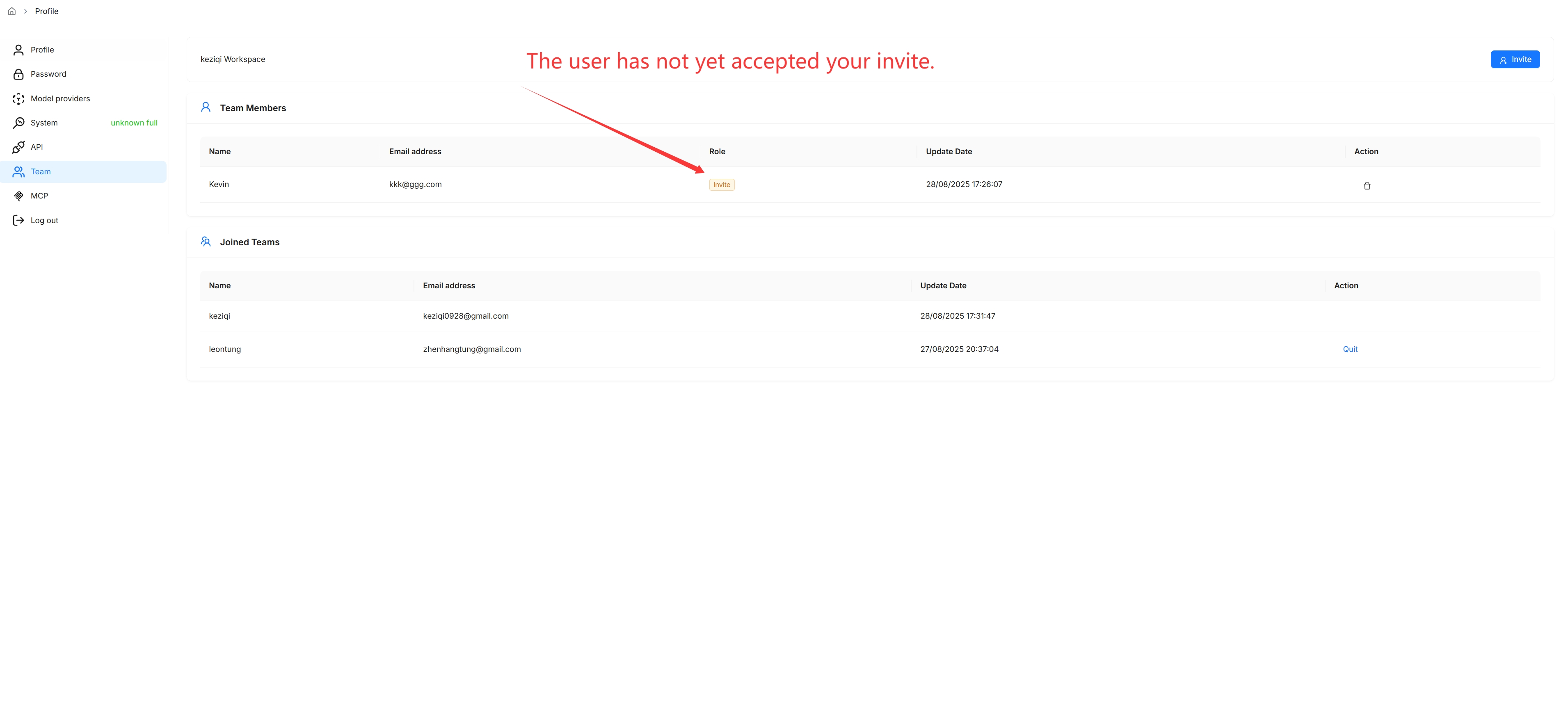
You are the owner of your own team and the only person who can invite or remove members.
Invite a member:
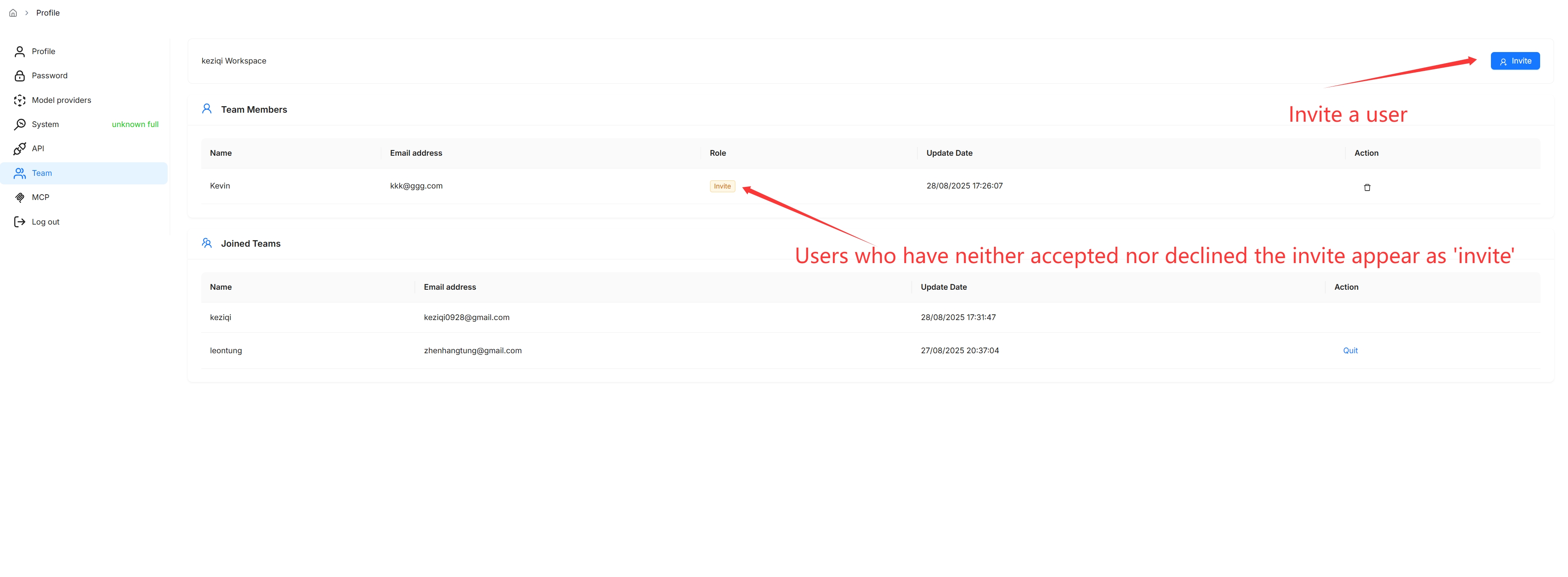
Ensure the invitee is a RAGFlow user and that the email address you use is associated with their RAGFlow account.
Remove a member:
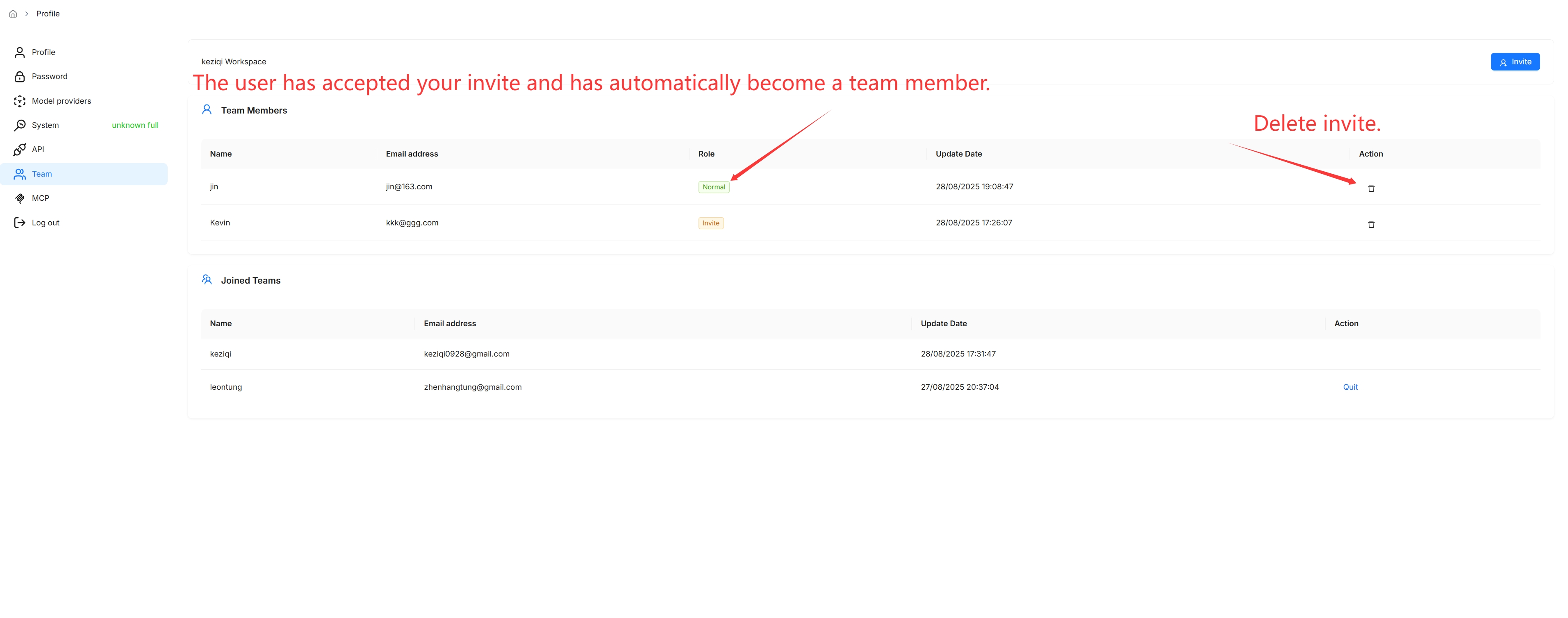
Join or leave a team#
When you receive an invitation, you are notified in the top-right corner of the page. Open the Team page (avatar → Team) to accept or decline it. After accepting, you can view and update the team owner’s datasets whose Permissions are set to Team. You can also leave a team you have joined from the same page.
You cannot invite users to a team unless you are its owner.